




UX/UX Case Study

Ultimate Relocation app with
AR Measurement

HomeGO

Revolutionizing the relocation experience with smooth efficiency.

Project Overview

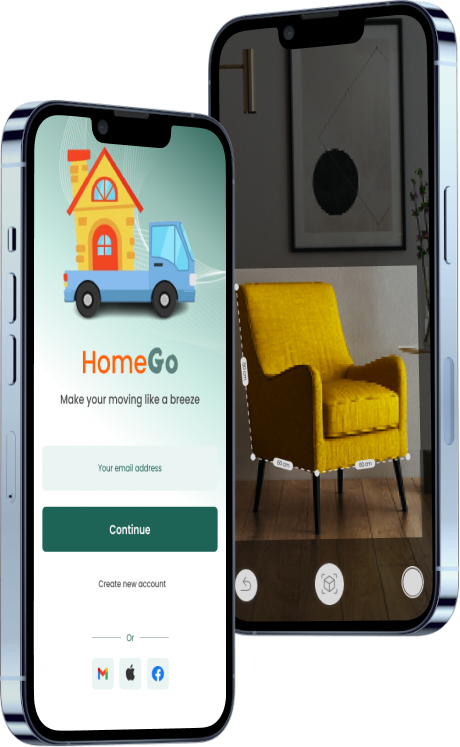
HomeGo is a mobile application designed to streamline the relocation process using Augmented Reality (AR) technology. The app aims to simplify packing by allowing users to accurately measure their belongings.

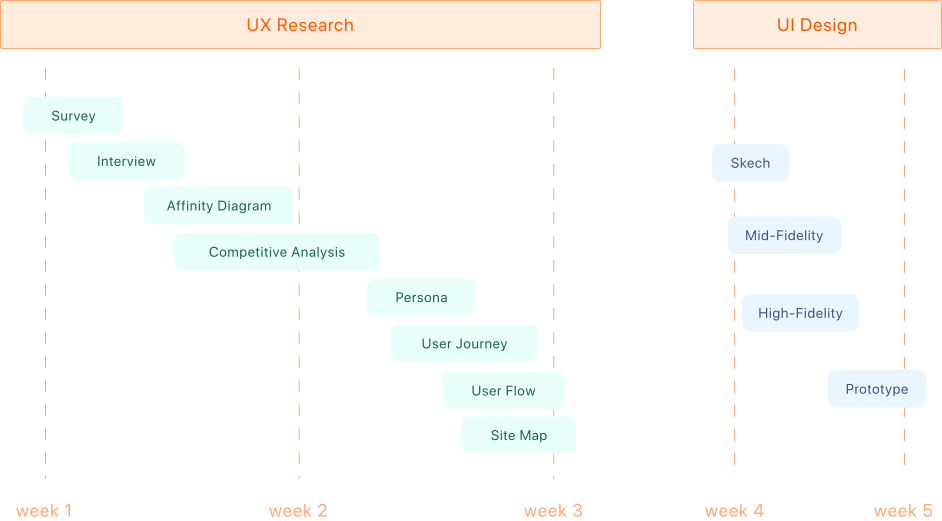
Project timeline

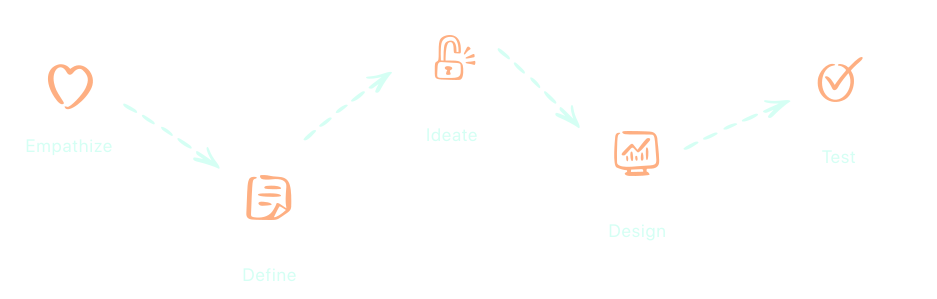
Design Thinking process

empathize

Problem Statement

Inefficient and stressful relocation processes often plague individuals and families, causing frustration and delays during transitions to new locations. Current solutions lack comprehensive guidance, leaving users to navigate complex logistics and uncertainties independently.

Finding Solution

There is a pressing need for a user-friendly mobile app that offers clear instructions, and personalized guidance throughout the relocation journey. This app aims to empower users with the tools and support necessary to streamline the relocation process, minimizing stress and ensuring a smooth transition to their new home.

Survey

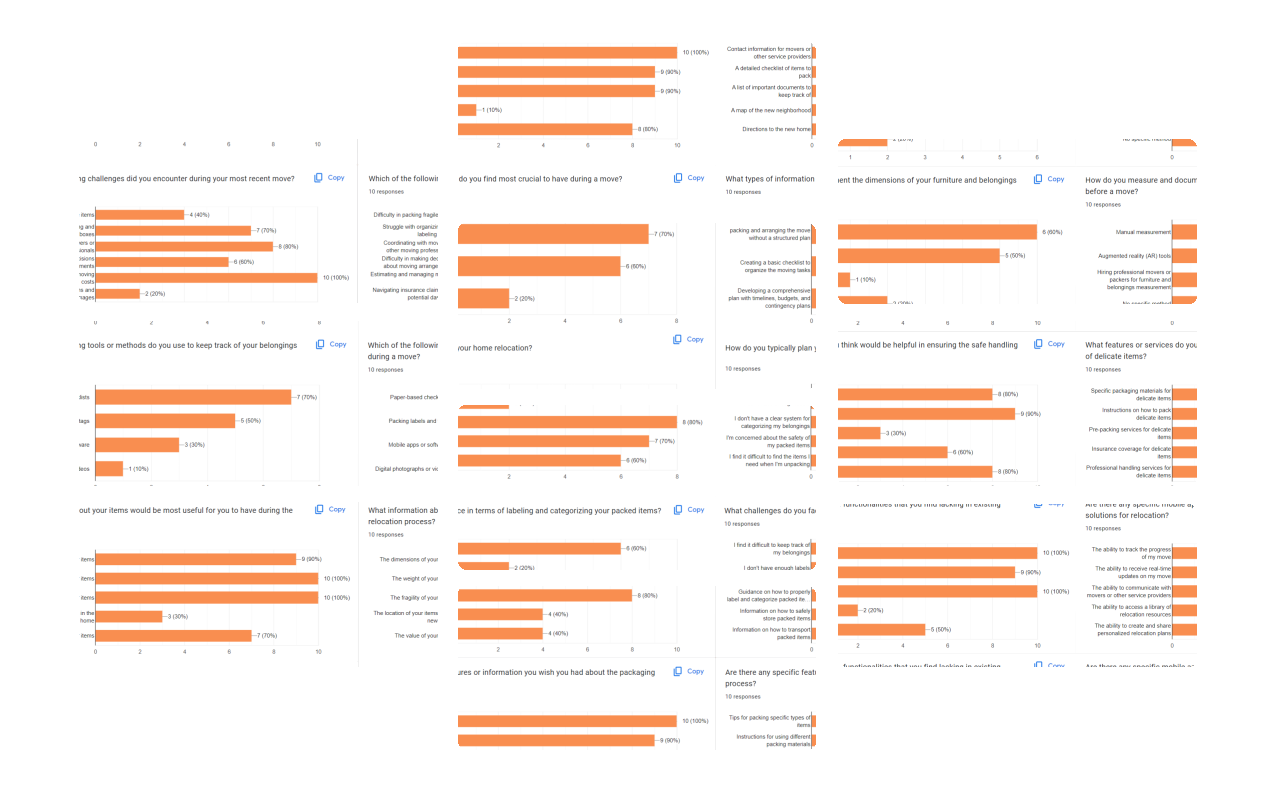
In the UX design process, surveys are essential for gathering insights into user preferences and behaviors. This survey was conducted with 10 participants to identify:
  • Common paint point in the relocation process.
  • How people typically approach moving and identify any areas where they could use more help.
  • Popular tools and methods for keeping track of belongings during a move, as well as any unmet needs in this area.
  • What people would like to know about how their belongings are packed and protected.
  • How people typically approach moving and identify any areas where they could use more help.
  • Common practices for measuring furniture and belongings.
  • Areas where movers could improve their services or offer new features.

Interview

For the project, interviews were held with five individuals to gain deeper insights into their experiences and challenges with the relocation process. These interviews helped uncover nuanced perspectives and specific pain points, providing valuable qualitative data.
  • Can you describe a recent experience of moving to a new place?
  • What challenges or pain points did you encounter during the relocation process?
  • How do you typically plan your home relocation?
  • What tools or methods do you use to keep track of your belongings during a move?
  • What information about your items would be most useful for you to have during the relocation process?
  • What challenges do you face in terms of labeling and categorizing your packed items?
  • Are there any specific features or information you wish you had about the packaging process?
  • What features or services do you think would be helpful in ensuring the safe handling of delicate items?

define

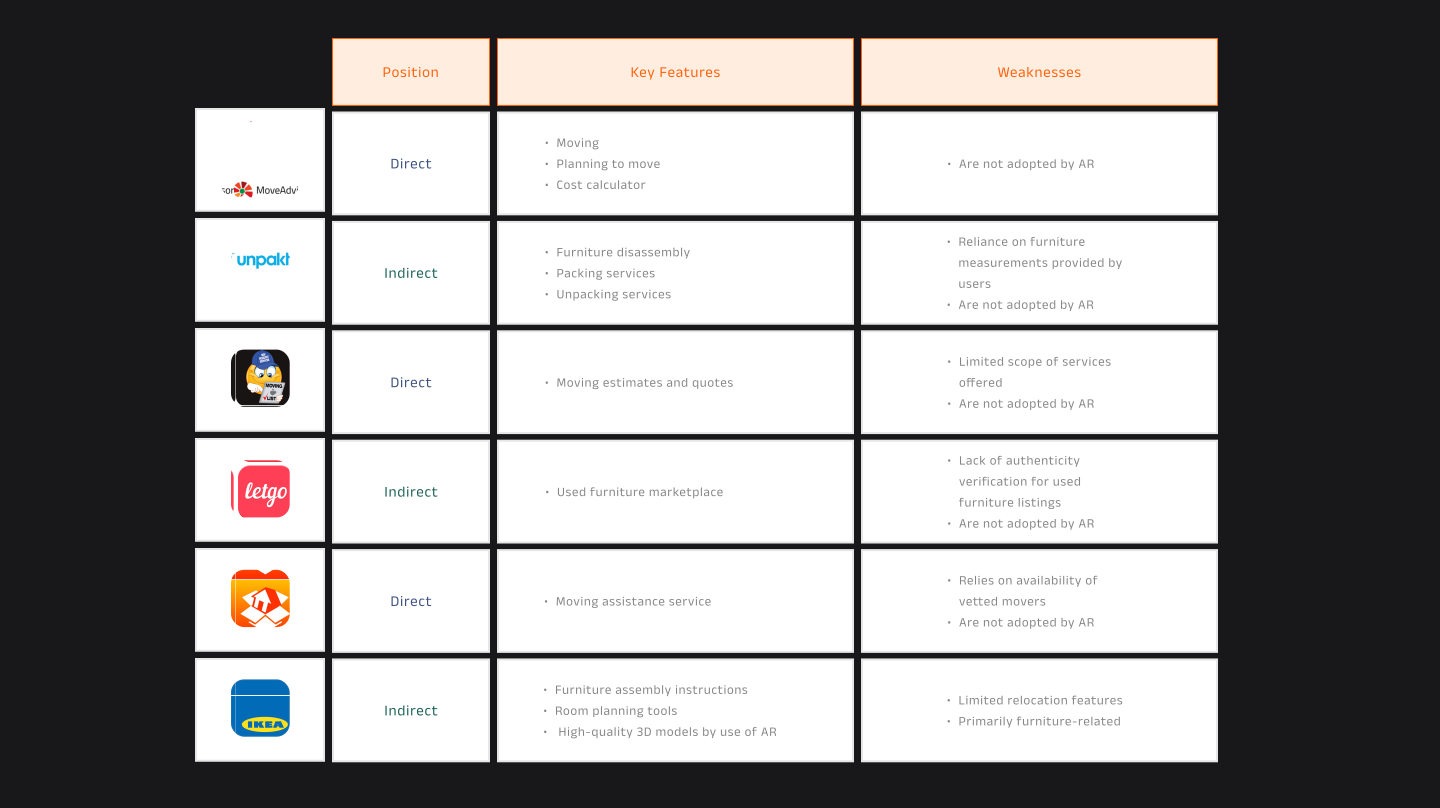
Competitive Analysis

This step involves evaluating competitors within a specific industry or market to identify their strengths and weaknesses. It helps to understand the competitive landscape, identify opportunities for differentiation, and make informed decisions to improve their own products or services.

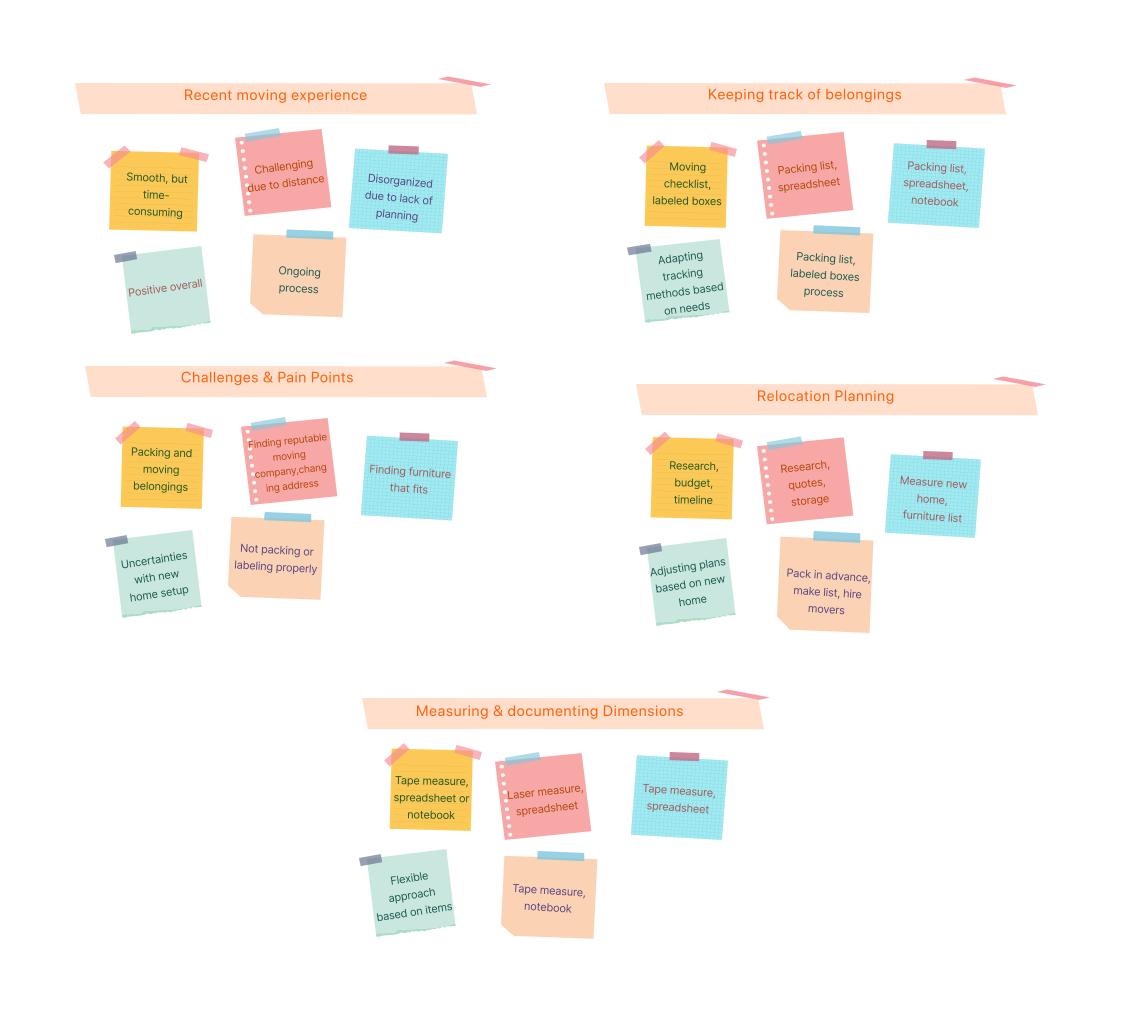
Affinity Diagram

This step is a visual tool used in brainstorming sessions to organize and categorize large amounts of data or ideas into meaningful groups or themes. This method was utilized to synthesize insights gathered from interviews with five participants. Through this method, the qualitative data providing valuable insights into the users' needs and preferences regarding the relocation process.

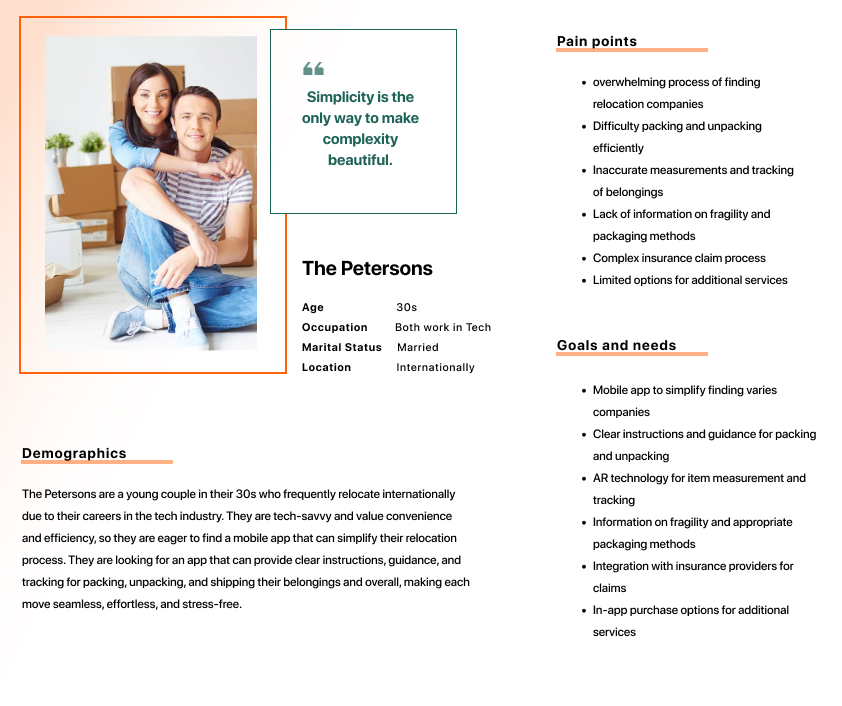
User Persona

These personas are fictional characters that symbolize key characteristics, behaviors, goals, and pain points of the target audience that represent the different user segments based on insights gathered from user interviews and surveys.

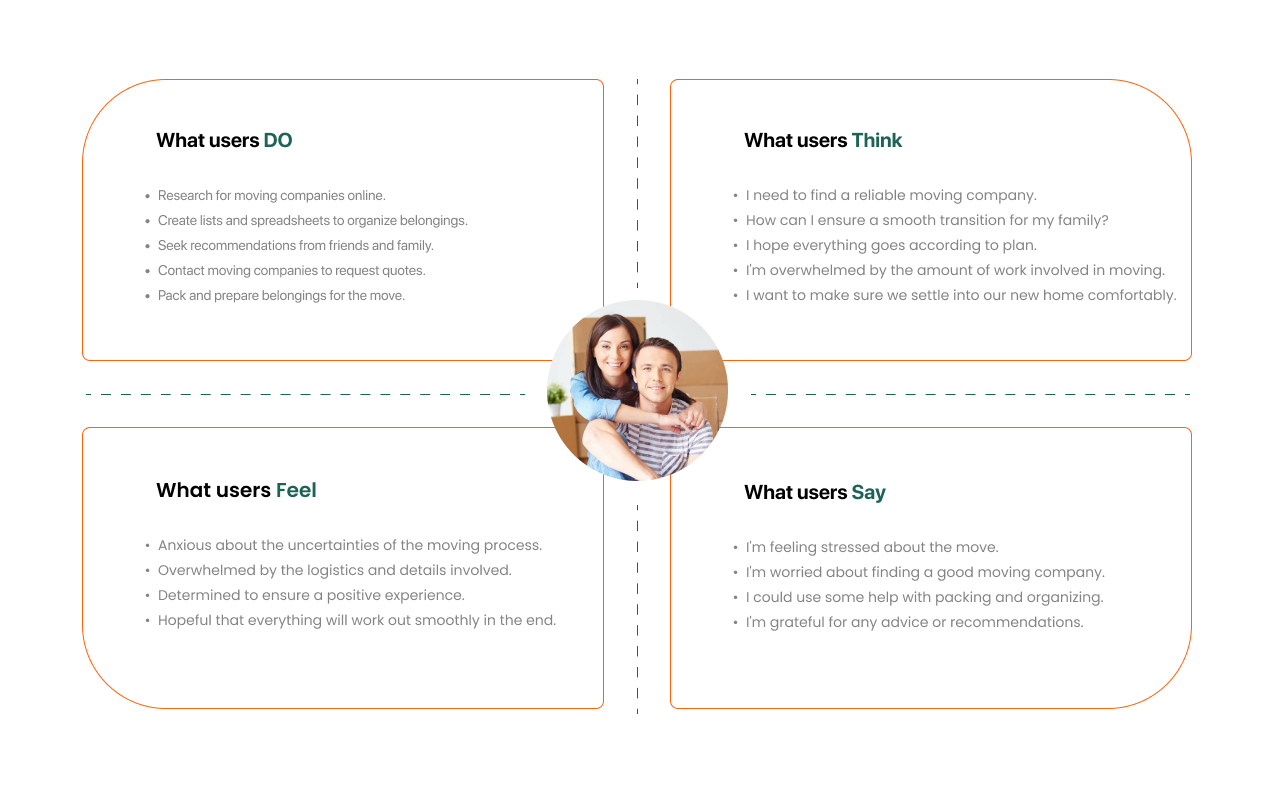
Empathy Map

This phase provides insights into the thoughts, feelings, and needs of a user who is preparing for a relocation. It helps empathize with user’s experience and informs the design and development of a relocation app tailored to his needs.

User Journey

The story serves as a narrative description of a feature or functionality from the perspective of an end user. It encapsulates the user's needs, goals, and motivations in a concise format, typically following the structure.

1. Discovery & Evaluation

The users seek a mobile app to simplify their relocation process. They begin their search, evaluating various apps to find one that meets their needs  for seamless, effortless, and stress-free moves.

2. Selection & Setup

They select the mobile app that promises to streamline their relocation experience. They download the app and proceed with setup, inputting relevant details and anticipate the app's ability ensuring a smooth transition to their new location.

3. Utilization & Satisfaction

They begin utilizing its features and shipping their belongings. They appreciate the clear instructions provided, guiding them through each phase of the relocation process. As they complete their move, confirming app’s value in simplifying their lives during transitions.

ideate

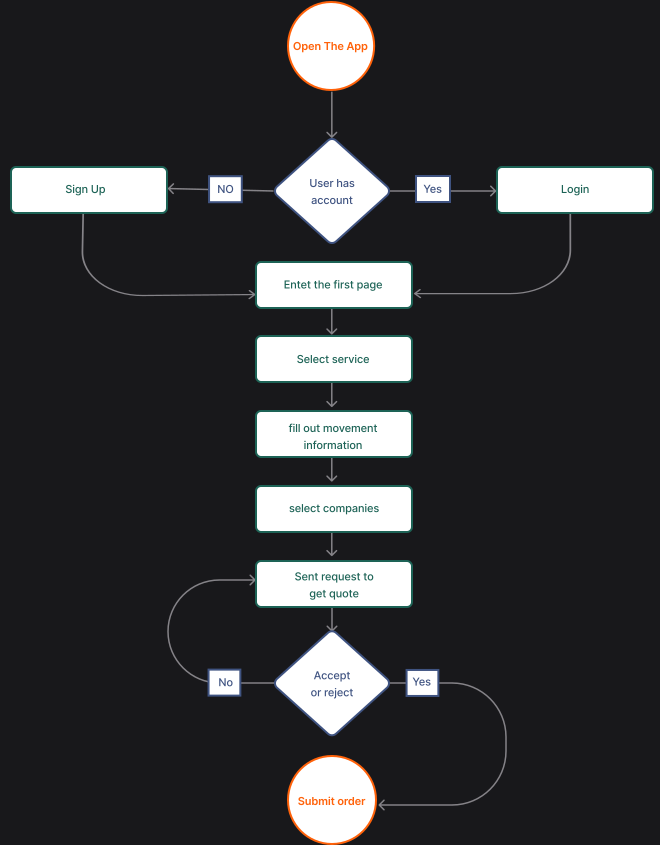
User Flow

In this phase of project, user flow was created to map out the step-by-step journey that users may follow to accomplish specific tasks or goals.

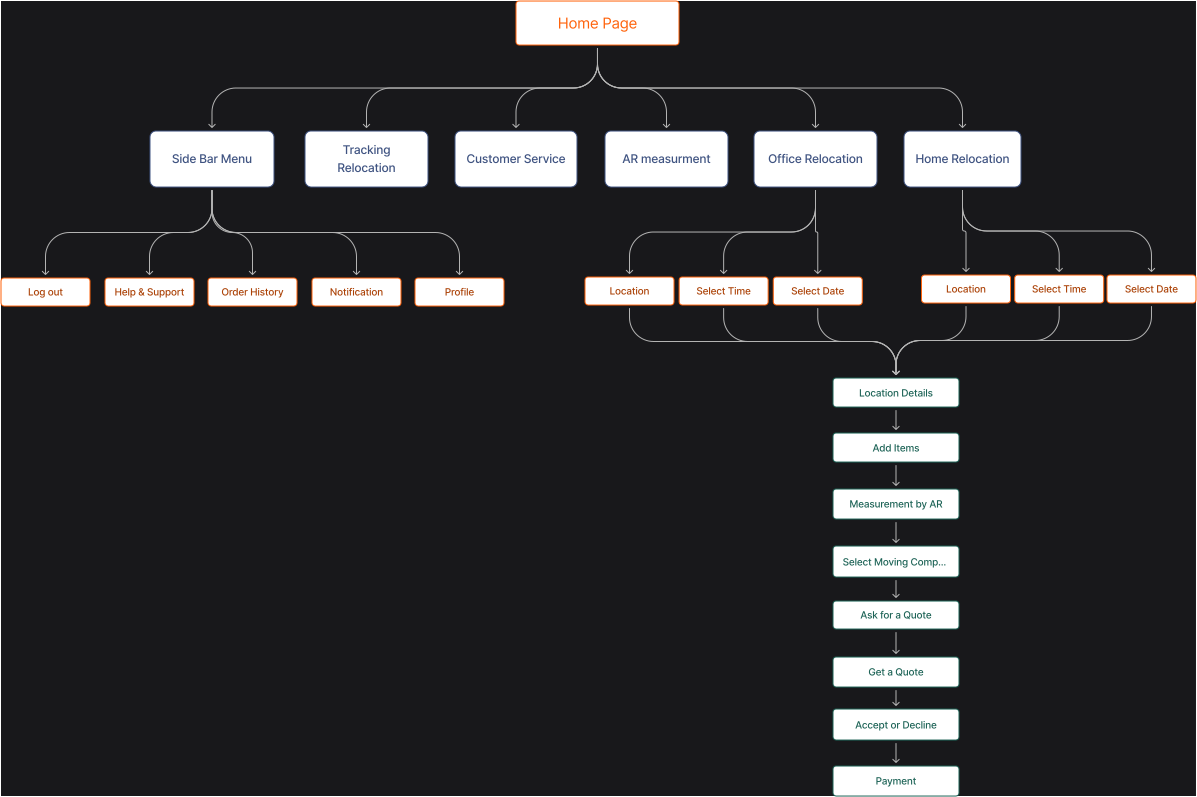
Site Map

This is a visual representation of a website's structure and organization. It outlines the relationships between different pages and helps users understand how they navigate the website.
This phase helps plan and design user-friendly websites, providing a clear overview of content and ensuring logical navigation.

design

sketching

This part is a fundamental aspect of the design process, serving as a rapid and flexible means of exploring ideas visually. It's an efficient method for generating and refining design ideas before moving on to more detailed stages of the design process.
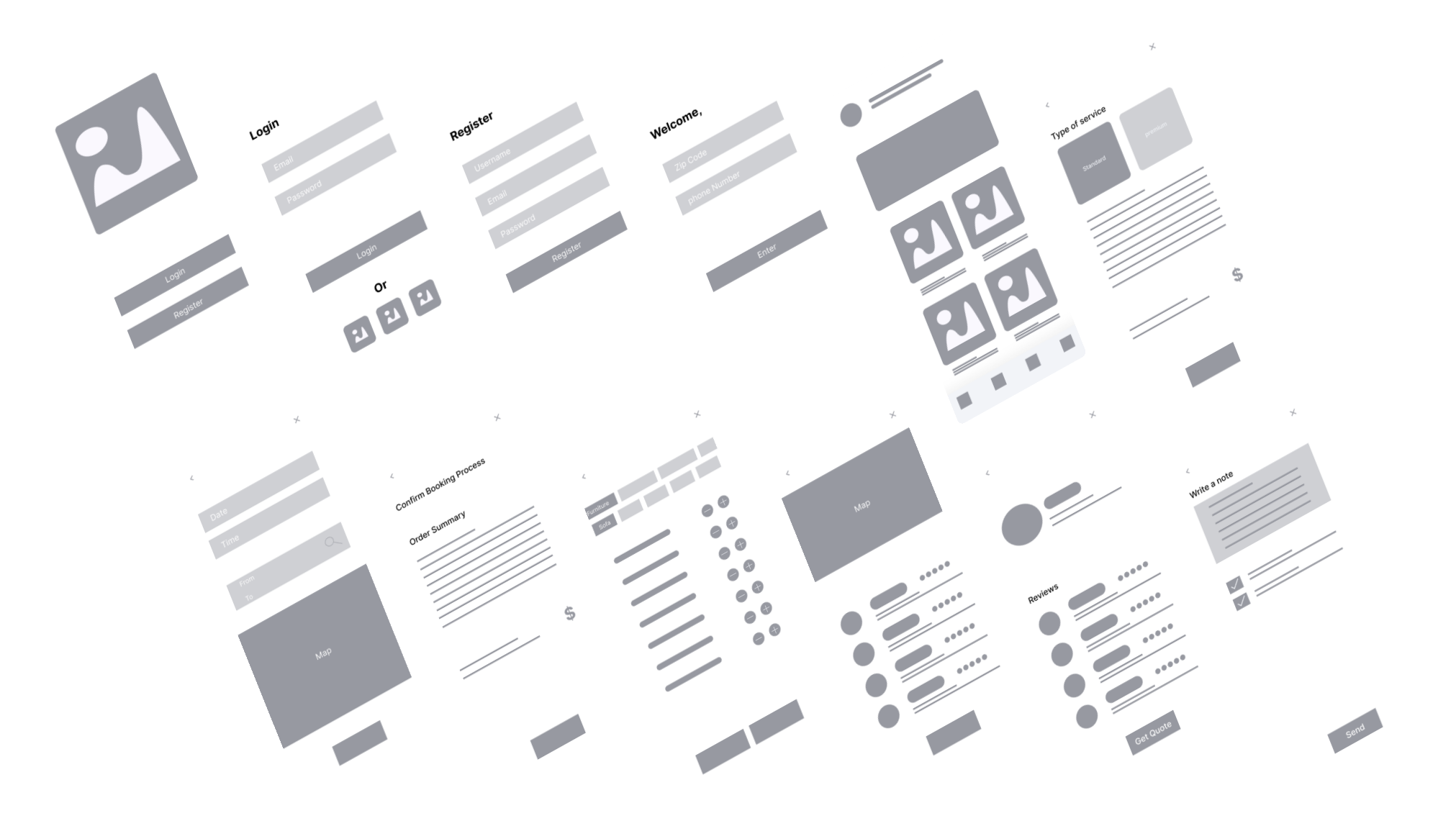
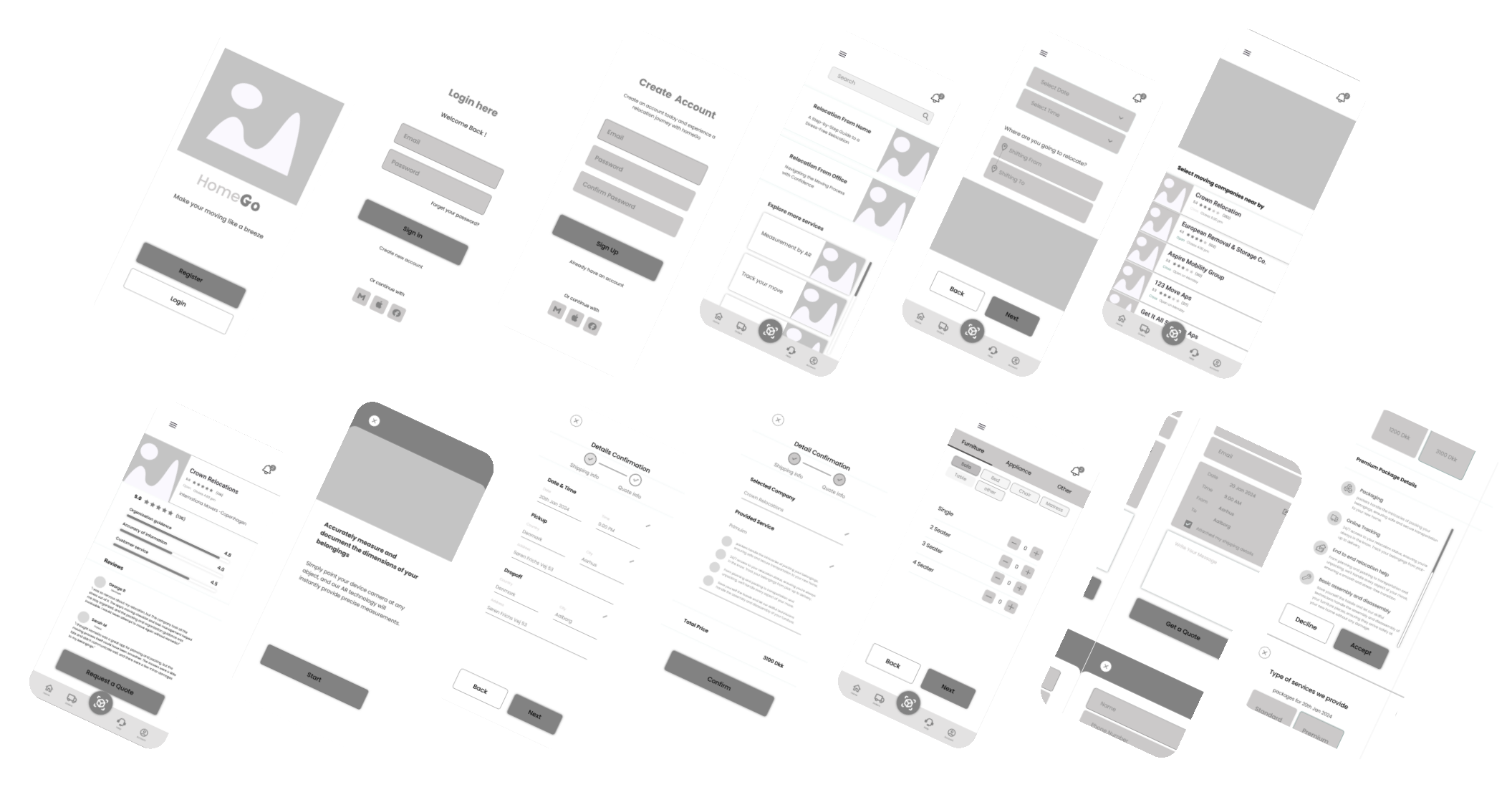
Mid-Fidelity Wireframe

This part typically includes basic visual elements. These prototypes provide a more realistic representation of the final product compared to low-fidelity sketches, allowing gathering feedback on design concepts and usability early in the development process.

High-Fidelity Wireframe

High-fidelity prototyping involves creating detailed and polished prototypes that closely resemble the final product in terms of visual design and functionality. High-fidelity prototypes provide a realistic representation of the final product and help to ensure that the final product meets design requirements and user expectations.

final design

next project

personalized travel planner website
